Getting Started with Latex#
Activate Overleaf Premium#
Register an account with Overleaf. by selecting “Log in with SSO”. This will allow you to set up a free Premium account with your VU email.
Do you already have a Basic Overleaf account? No problem. Follow the same procedure above, and Overleaf will link your account to the Vrije Universiteit institutional account.
Duplicate the LaTeX Template#
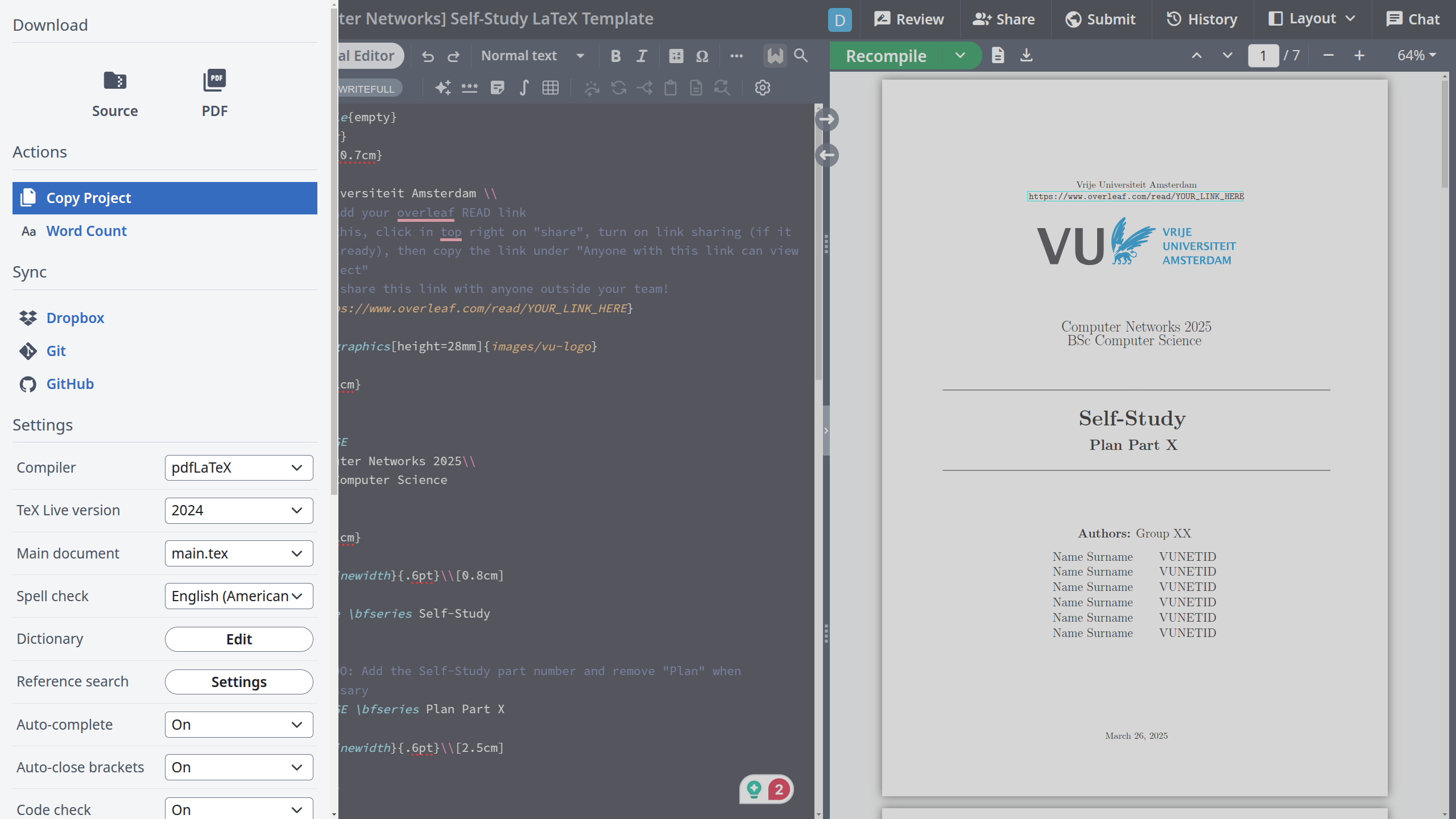
Follow the link to the provided template and select the “Menu” from the top left of your screen. Afterwards, click on “Copy Project” and give it a name.
Share the project with your team#
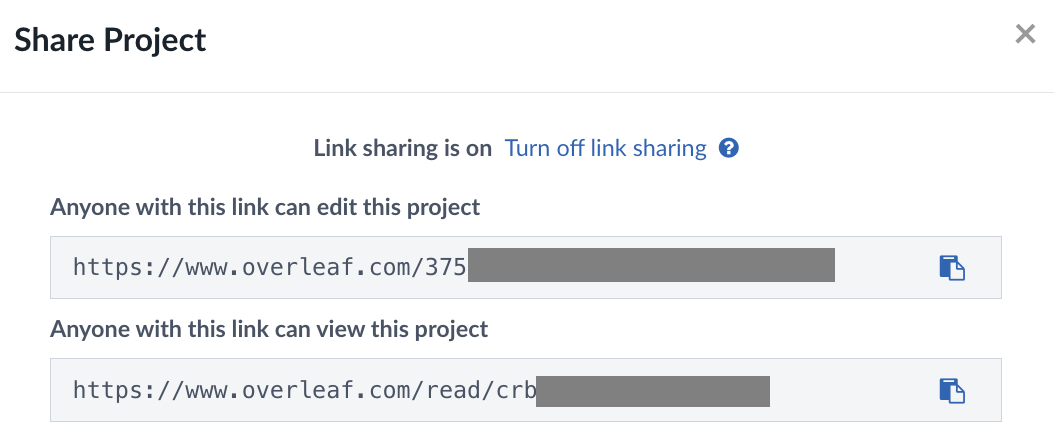
In the top menu, in the right half, you can see a “Share” button. Click on it, then enable link sharing.

Now, you have 2 links, a read-only link, and an editable link. Add the read-only link in the self-study template, on the first page, in the space designed for this. Via your communication channel, share the editable link such that all of you will have access to the project.
BE CAREFUL! Do NOT share any of these links outside the team! This is regarded as academic fraud, and action will be taken.
Project Structure#
The project has the following structure:
main.tex- for general file management, imports, and bibliographymain.bib- for citation, please note and adhere to the BibTeX referencing stylefirst-page.tex- the cover of the documentself-study-plan.tex- the file that contains the necessary details for your Self-Study planchapter-.tex- please note how we divided the chapters into files, we encourage this in order to keep the whole project organized. You are free to organize the way you wantimages- include all your images in this directory
Getting started with LaTeX fundamentals#
Download a quick guide to \( \LaTeX \) to get familiar with the syntax. Do you have a couple more minutes? Read the Overleaf resource on the basics of how \( \LaTeX \) works.